iOS Widgets
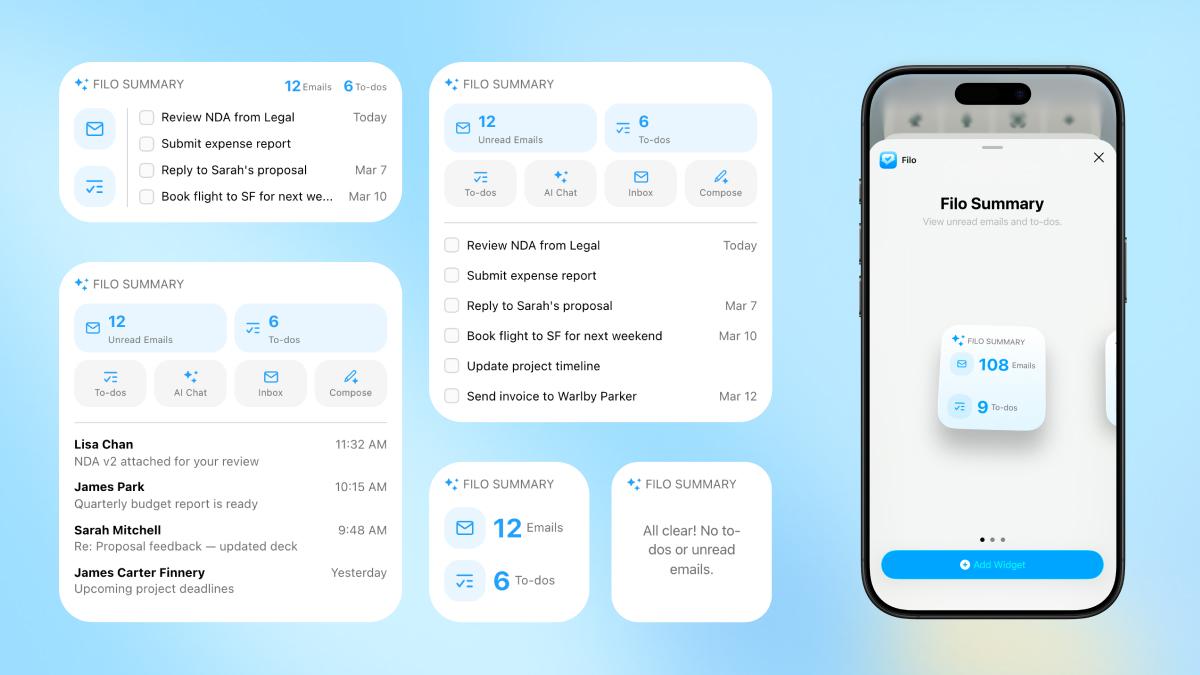
Filo's iOS Widgets help you keep track of important to-dos from your Home Screen, without opening the app. Available in small, medium, and large sizes.
Widget Sizes
- •Small: Shows your to-do count and up to 3 to-dos.
- •Medium: Shows your to-do count and up to 3 to-dos in a wider layout.
- •Large: Shows your to-do count and up to 6 to-dos.
Actions
- •Tap the widget to open Filo.
- •Tap a to-do to view details.
- •Tap the checkbox to mark it complete from the Home Screen.
How to Add
- Long-press on your Home Screen.
- Tap the + button in the top corner.
- Search for "Filo".
- Choose your preferred size and tap Add Widget.