AI Summary
Read a compact AI recap near the top of an email to understand its main points before reading the full message. Automatic generation depends on your AI settings and available usage.
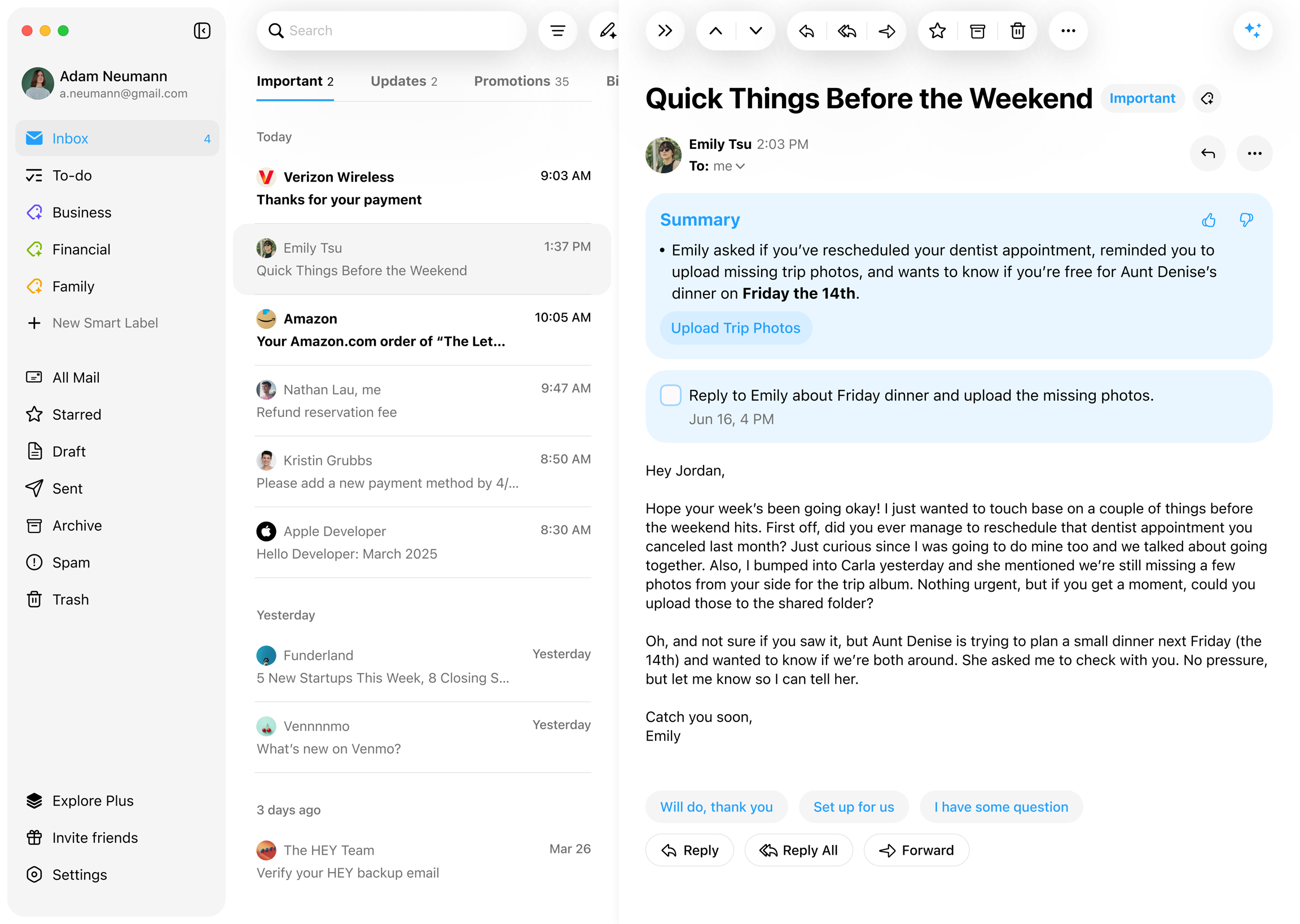
Generate and read a summary
Open an email and read its summary if one is available. Automatic AI Processing can summarize new mail in the background; Summarize when opening an email can generate a missing summary when you open it.
Open AI Settings to control these behaviors. For details that matter, read the original email: an AI recap can miss context.
Language and regeneration
Choose the summary language in Settings → Language → Summary, To-do. Auto follows the email body’s primary language; a specific choice requests output in that language.
An existing summary keeps its result until you regenerate it. After changing the setting, use the regeneration prompt or the summary’s Regenerate action. On Desktop, that action is in the summary card’s right-click menu.
Summarize attachments
Turn on Summarize Attachments in AI Settings to add summaries for supported files below the email summary. See Attachment Summaries for language, reuse, and retry instructions.